Atari 2600 Unocart
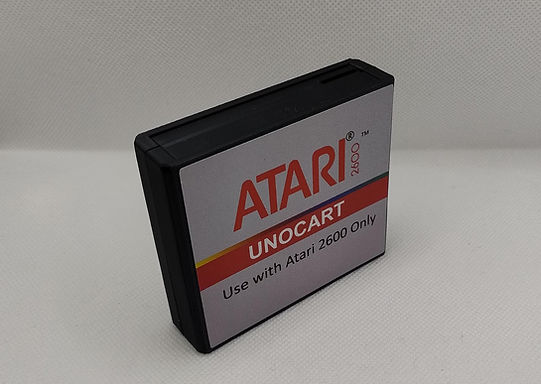

This project is based on Robin Hedwards' great "multicart" solution for the Atari 2600.
Al details about this open source solution here: https://github.com/robinhedwards/UnoCart-2600/
This version is one of the most compact size available. It works out of the box. All you have to do it load some Atari 2600 ROMs into a microSD card and insert it into your Atari 2600.
A menu will list all the ROMs available. Go up or down with your joystick and press fire to select the game you want to play.
1 - Setup
1 - Copy the Atari 2600 game ROMs file into a microSD card (FAT32 formatted) using a PC.
Insert the microSD card into the card reader.
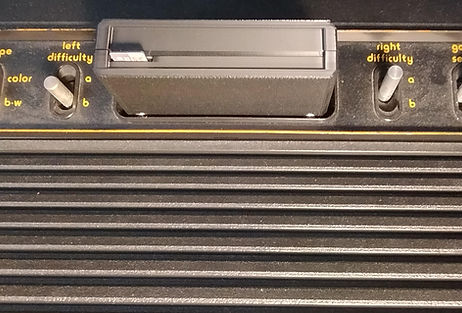
2 - Insert the UNOCART into your Atari 2600. The microSD wording should be facing you like so:
3 - Turn on your Atari 2600. Wait few seconds. The UNOCART is ready the microSD card. Then you should see the menu:
4 - Use the joystick to navigate and select the game and fire load it.
5 - The game should start. If not, just press reset on your Atari 2600
6 - To load another game, switch your Atari 2600 off then back on
Note: There are few limitations. One of them is the number of games the Atari 2600 can display in one screen.
The limit with R.Edwards firmware is 80 games. If you want to put more than 80 games in your microSD, you will have to use folders. You can use folders to sort them by editors or type or alphabet. This way, you can put more games and work within the limits of the Atari 2600
Se the documentation link at the end of this page for more.
2 - Alternative Firmware
As stated above, this UNOCART is based on R. Edwards project and the default firmware is "UCA".
ore details here: https://forums.atariage.com/topic/297486-unocart-firmware-updates/page/8/
There is an alternative firmware from R.Edwards version R18 from Sept 12 2023.
More about this release here: https://github.com/DirtyHairy/UnoCart-2600/releases
Can can upload this firmware very easily via the microSD card. You can also revert back to R. Edwards or UCA version if you wish.
Here are the latest firmwares as of Jan 2024: Firmwares.zip
or go visit their respective sites to get the latest and more details.
3D Printed Case
If you have a 3D printer, you can download the ZIP file containing the STL files to print a case.
FAQ
Q: Where can I find games?
A: You can find games on the internet. Google is your is friends. Here are few resources:
Atari Mania: https://www.atarimania.com/pgemainsoft.awp?type=G&system=2
Planet Emulation: https://www.planetemu.net/roms/atari-2600
Direct link to ready made collection (Atari Mania) : Here
AtariProtos: http://www.atariprotos.com/2600/software/2600software.htm
Q: How can I upgrade the firmware? Is there a detailed documentation?
A: Yes, you can update the firmware. The open source project is available on GitHub.
Original Documentation: UnoCart-2600-Manual.pdf
GitHub: https://github.com/robinhedwards/UnoCart-2600/
R. Edward/Dirty Hairy Firmware: https://github.com/DirtyHairy/UnoCart-2600/releases
UCA Firmware: https://forums.atariage.com/topic/297486-unocart-firmware-updates/page/8/
Q: Does it work on the new Atari 2600+ or 7800+ console?
A: No, the UNOCART is not working on the newer Atari consoles.
If you want a solution for the Atari 2600+, see this page: https://www.16-32bit.eu/unocartplus